Notifications
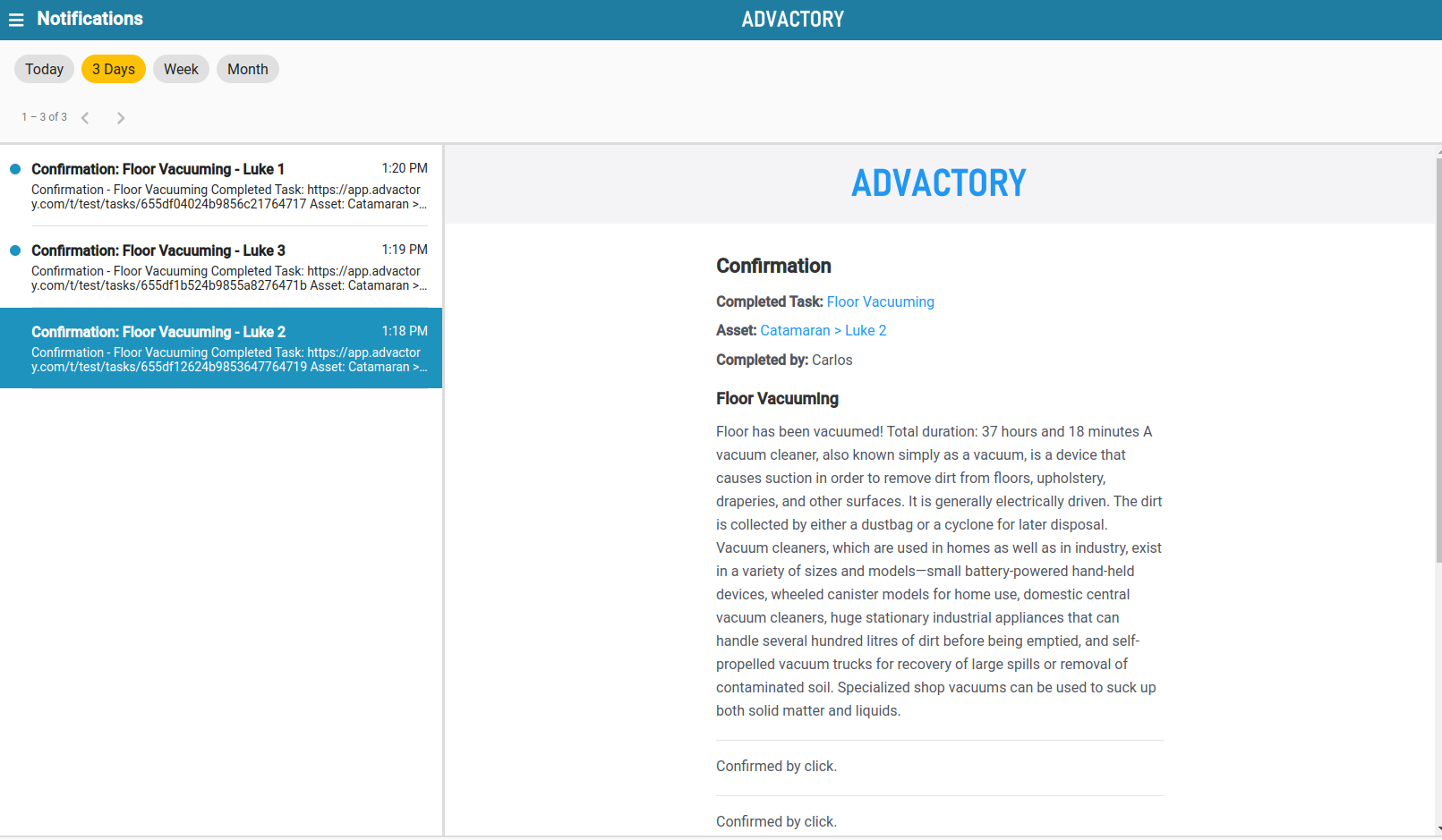
The Notifications Tab provides Operators, Managers and Administrators with information about the state of a task. If you have defined a Notification template during the creation of one of your processes, you will receive a notification according to the conditions you have set (see more about defining Notification templates here).
If you are looking for an example on how to define a notification template inside a process, make sure to check out one of the use cases.
The notification view is designed to resemble the design of a mail client. On the left, a preview of the notifications is given. By default only the notifications of the last 3 days are shown. This filter can be changed by clicking on one of the buttons at the top of the notification list. Available filters are:
- Today
- Last 3 Days
- Last Week
- Last Month
If no filter is selected, the notifications of the last 2 months are shown. To navigate the notifications you can use the arrow buttons below the filter buttons. Finally, clicking on one of the notifications opens the full view right next to the notification list. If you are on a mobile device, a new window will appear.