Measurement-based Schedules
Use Case: Freezer
In this example we cover a use case for Measurement-based schedules.
We consider a Freezer Room that is equipped with temperature sensors to make sure its temperature is always 5 degrees below zero but not more than 10 degrees below zero.
The main goal of this use case is to ensure that the Freezer Room always maintains its temperature and schedule a task for the operator if this is not the case.
Moreover it can be proofed to customers or authorities that the cold chain has not been interrupted.
First Step - Sensor Readings
As a first step make sure that the sensor readings tracking your use case are available in Advactory.
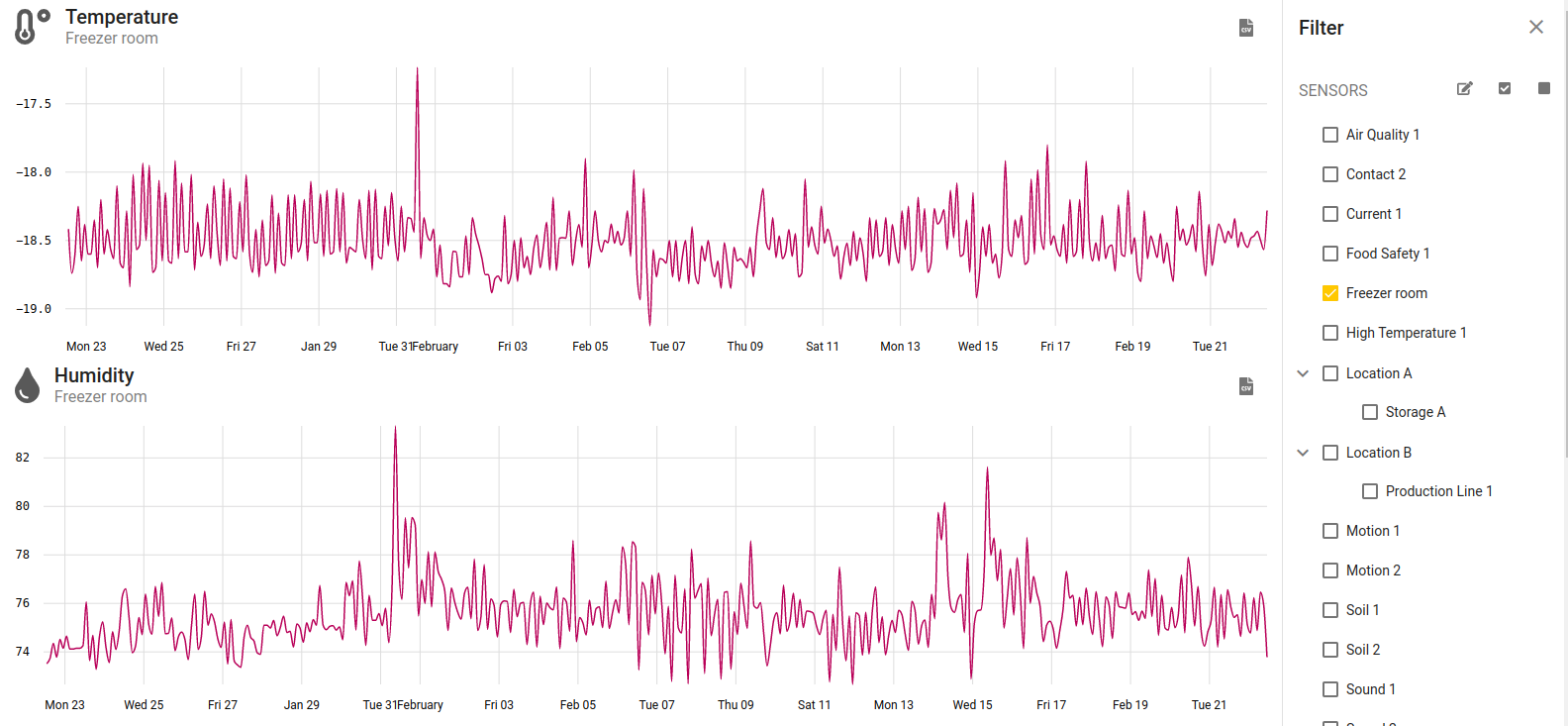
Go to the Sensors tab and check on the right side if your sensor appears in the list.
After selecting it you will see all types of measurement that are tracked by this sensor.
In our case the sensor is called Freezer room and it is tracking the sensor types Temperature, Humidity, Battery and Mold Risk.
The available sensor types of the selected sensors can also be inspected on the right side in the filter view when scrolling down.

Check in the graph if the sensor values are up to date (the date at the right end of the x-axis should be the current date in this case) and if the sensor values make sense to you. If this is the case proceed with step 2.
Second Step - Create Process
Now it is time to create the process that will be triggered in case the temperature inside the freezer room moves outside of the set interval.
It is assumed that the asset Freezer Room already has been created following the manual.
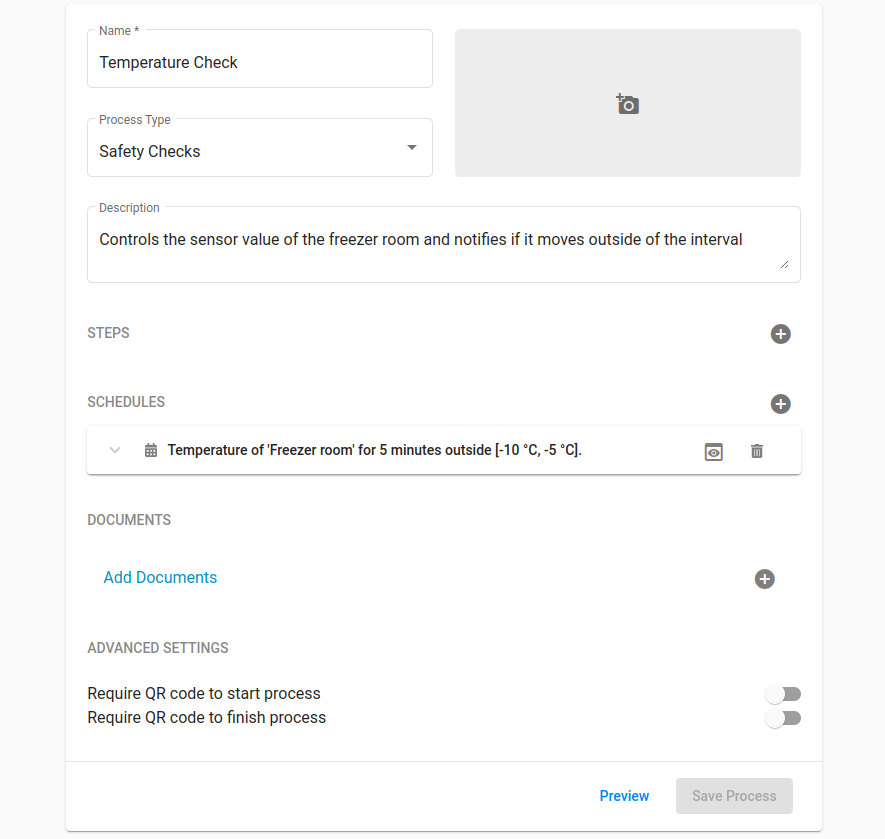
First, we go to the Process tab, create a new process and define a name and a category, as well as a description of the process.
We create a step of type Checkpoint and name it "Check Sensor Value".
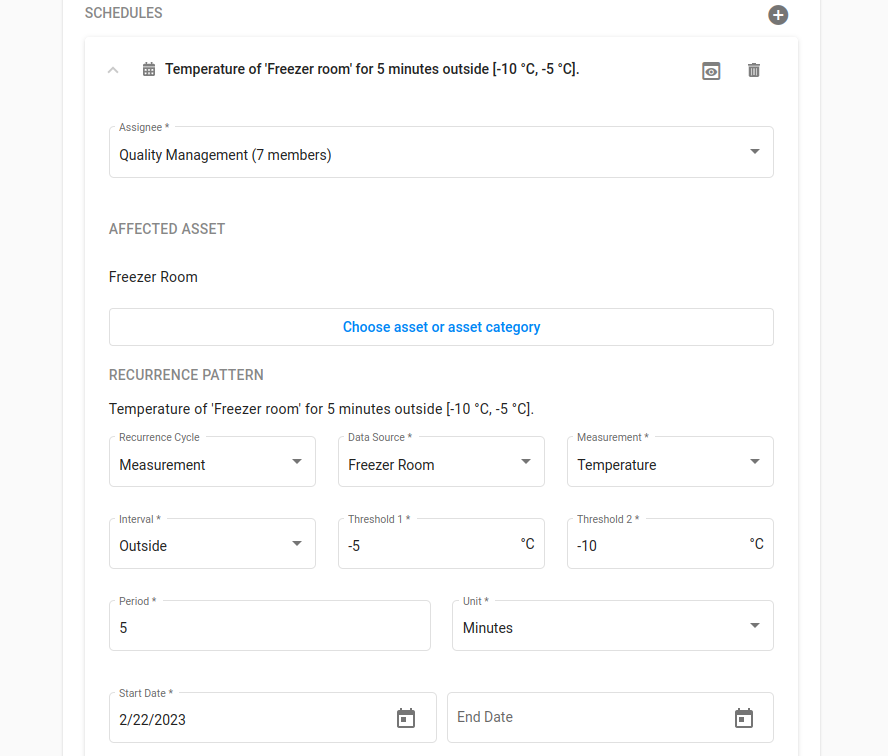
Next, we go to the section Schedules, select the group "Quality Management" in the Assignee section and choose the affected asset Freezer Room.
Now under Recurrence Pattern we select Measurement as the Recurrence Cycle and the sensor called Freezer Room as the Data Source .
We want to track the Measurement type Temperature so we select that and set the Interval type to Outside because we want the task to be scheduled once the temperature leaves the defined interval.
Then we set the threshold values, in our case -5 and -10 degrees Celsius.
We assume that leaving the allowed temperature frame for 5 minutes will not be a problem for the cold chain and thus define 5 minutes as the period that the sensor is allowed to be outside of the interval.
After saving the process we are done!
Whenever the sensor values drop out of the interval (-5°C to -10°C) for longer than 5 minutes, the assigned Operator will get the task assigned to check the sensor.