PWA Installation
Installing Advactory as Progressive Web App
Advactory can be installed as a PWA. The procedure is described for desktop, iOS and Android devices.
Desktop
Press on the button next to the URL on the right hand side within your browser. In Google Chrome it looks like this:

You will be asked if you want to install the Website as an App. Press Install and wait for your app being shown within your applications. It is now possible to open the website as an application from your desktop.
iOS
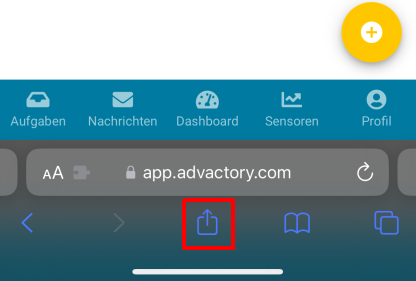
If you use an iOS device to run Advactory, first select the Share icon (the rectangle with upward arrow) within the browser.
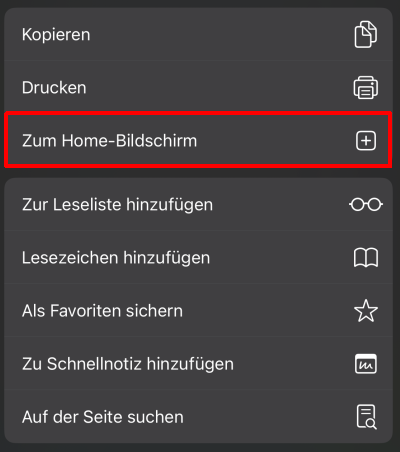
Next, select Add to Home Screen in the option menu.
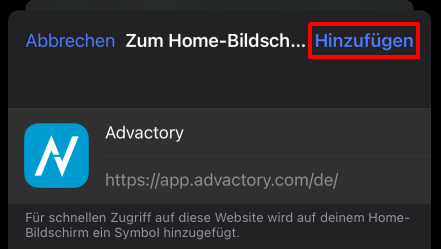
In the next screen click Add to finish the installation.
You should now be able to see the App on your home screen.
Android
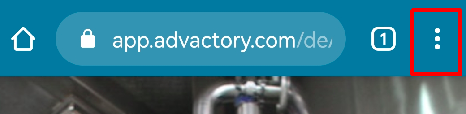
For devices running Android select the three vertical dots in your browser:
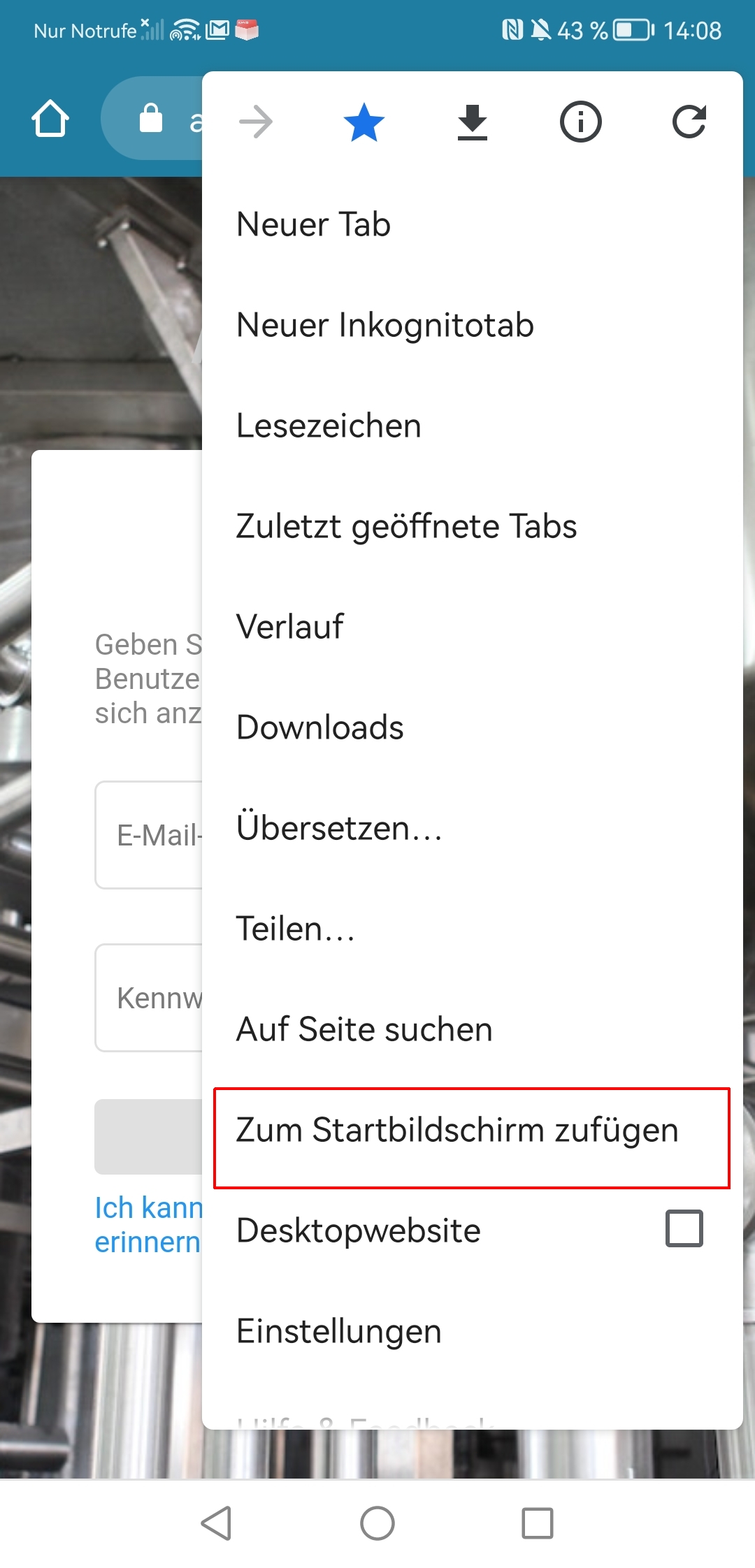
From the menu popping up select Add to Home Screen:
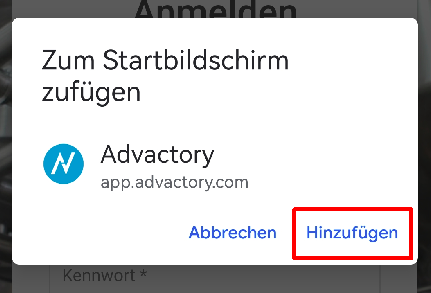
Then click Add in the next dialog window:
You should now be able to see the App on your home screen.
Change Language
The language can be changed in the URL, simply exchange the abbreviation to the desired one. For now English ("en"), German ("de") and French ("fr) are available.

Changing the language is not possible inside the Progressive Web App (PWA). If you already installed it, please uninstall, change the language in the browser and reinstall it again.